
Last Updated: June 24, 2026
Table of Contents
Introduction
Every single one of our electronic gadgets – be it computers, ATMs, cell phones, intelligent TV sets, cars, and indeed, refrigerators – depends on software for efficient operation. All the clicks and taps we do when using a gadget are possible because of the interaction between different types of software. Nevertheless, this question arises when a person starts learning about computer technology:
explains the foundational differences between system software and application software in simple terms.
What is the Difference Between System Software and Application Software?
It can be argued that this is the first fundamental knowledge required when learning about computer technology, as both are necessary for almost any digital gadget. Yet, despite their close cooperation, these two types of software have very different tasks.
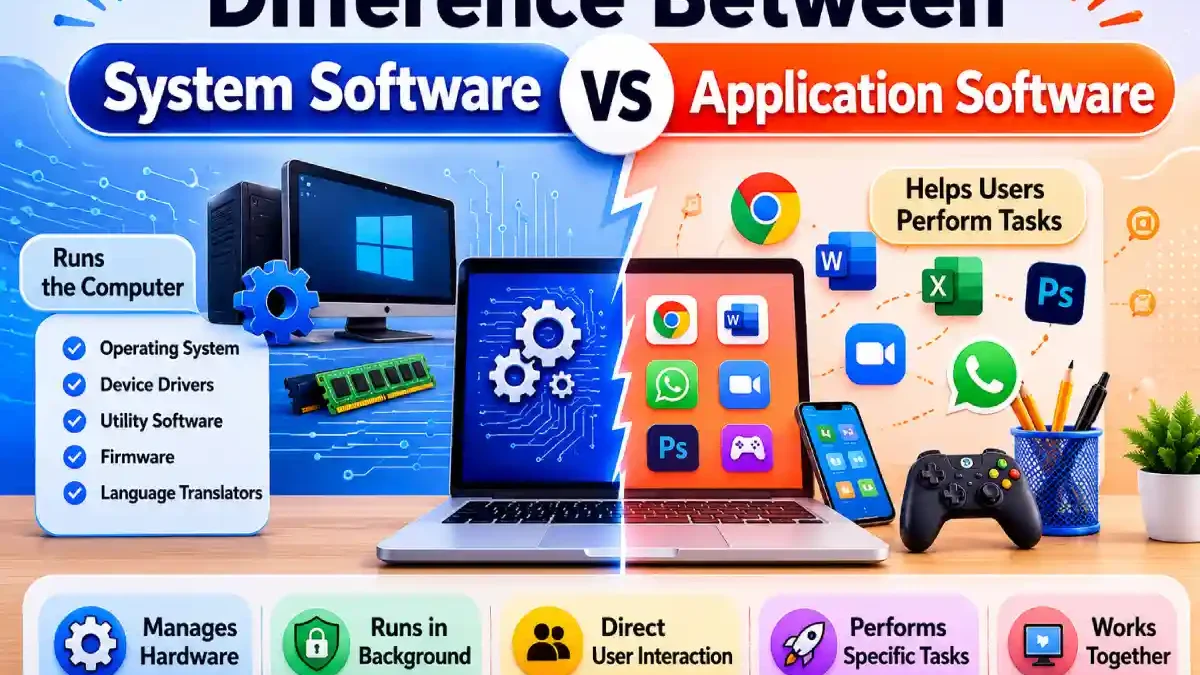
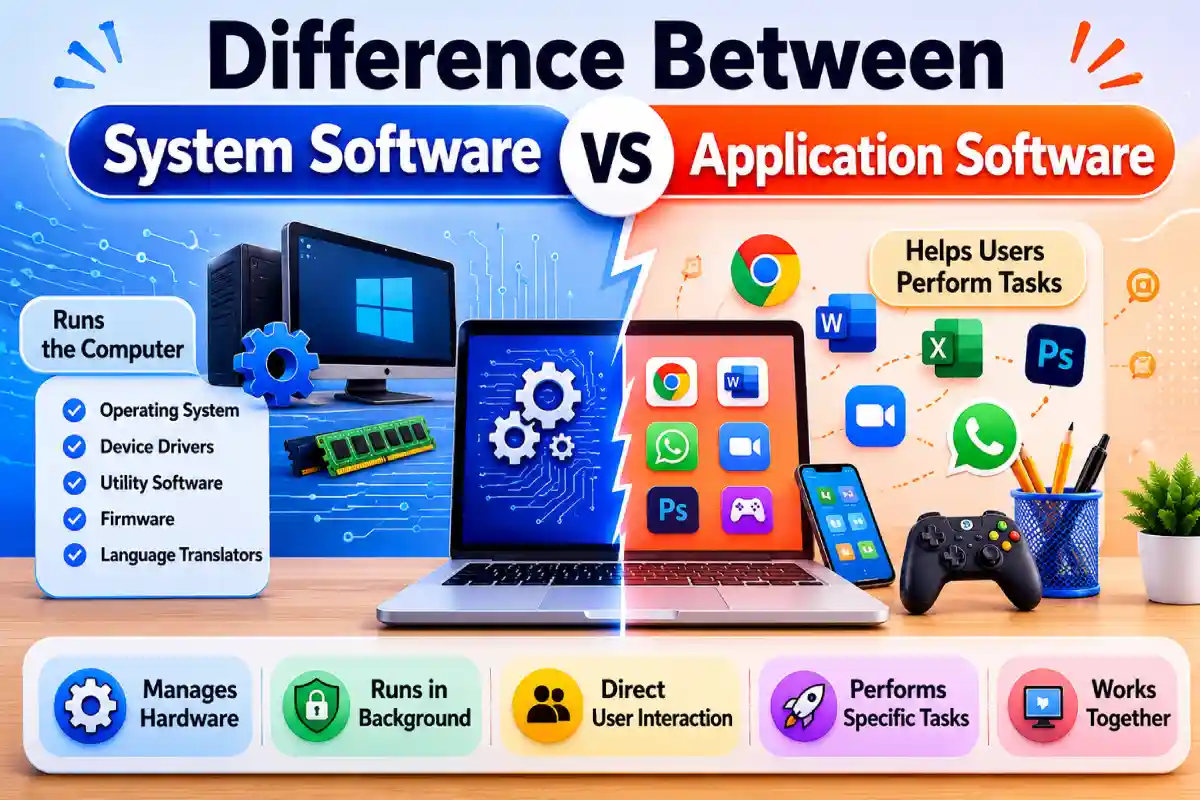
System software controls the computer itself – it’s hardware, memory, operating capabilities, and data storage. Application software helps users perform tasks such as document editing, internet browsing, photo editing, taking part in virtual meetings, and playing games.
A simple way to understand it is:
- System software runs the computer
- Application software helps users perform tasks
The development of the software industry will be very fast in 2026 compared to any year in the past because of AI, cloud computing, SaaS, automation, and mobility. The importance of knowing different types of software is not limited only to academic purposes anymore; it also applies to entrepreneurs, bloggers, and freelance developers.
This detailed guide explains everything in a beginner-friendly and humanized way, including:
- What system software is
- What application software is
- Major differences between them
- Real-world examples
- 2026 software trends
- Detailed comparison tables
- Advantages & disadvantages
- FAQs for exams & interviews
Whether you are a student preparing for exams or someone trying to understand computers better, this article will help you understand the topic clearly.
What Is Software?
Before understanding system software and application software, it’s important to understand what software means.
Software is a collection of programs and instructions that tell a computer what to do. Hardware alone cannot function without software.
For example:
- A laptop without software is just an electronic machine
- A smartapp without software cannot open apps
- A printer without drivers cannot print documents
Software acts like the “brain” of a digital device.
In simple words:
- Hardware = Physical components
- Software = Instructions that make hardware work
Modern devices depend on thousands of software processes every second.
What Is System Software?

System software is a type of software that manages the computer’s hardware and core system functions. It acts as a bridge between hardware and application software.
Without system software, a computer cannot even start.
When you power on a laptop, system software begins working immediately before you open any app.
Main Purpose of System Software
The primary goal of system software is to:
- Control hardware
- Manage system resources
- Run background processes
- Provide a platform for applications
System software works mostly behind the scenes.
Real-Life Example of System Software
Imagine your computer is a car.
- The engine, gearbox, and internal mechanics represent system software
- The driver using navigation or music apps represents application software
Without the engine, the car cannot move.
Similarly, without system software, applications cannot run.
Main Functions of System Software
1. Hardware Management
System software controls:
- CPU
- RAM
- Storage
- Keyboard
- Mouse
- Graphics card
- Printers
For example, when you connect a printer to your computer, drivers help the system communicate with the hardware.
2. Memory Management
The operating system manages:
- RAM usage
- Virtual memory
- Background tasks
- Active applications
This ensures your computer does not crash when multiple apps are open.
3. File Management
System software organizes:
- Files
- Folders
- Storage locations
- Disk access permissions
Without this functionality, users would not be able to save or open files.
4. Security and Stability
Modern operating systems provide:
- Security updates
- Firewalls
- Access permissions
- Malware protection
Windows 11 and macOS now include advanced AI-based security systems in 2026.
5. Platform for Applications
Applications like Chrome or Photoshop need an environment to run. System software creates that environment.
Without Windows, Linux, Android, or macOS:
- Apps cannot launch
- Files cannot open
- Hardware cannot respond
Types of System Software
System software is divided into several categories.
1. Operating Systems
An operating system (OS) is the most important type of system software.
Examples:
- Windows 11
- Linux Ubuntu
- macOS Sonoma
- Android 15
- iOS 19
Functions:
- Boots the computer
- Manages hardware
- Runs applications
- Handles files and storage
The operating system is the foundation of all computer operations.
2. Device Drivers
Drivers help hardware communicate with the operating system.
Examples:
- NVIDIA graphics drivers
- Printer drivers
- Audio drivers
- Wi-Fi drivers
Without drivers:
- Printers won’t print
- Graphics cards won’t perform correctly
- Sound devices may stop working
3. Utility Software
Utility programs improve system performance and maintenance.
Examples:
- Antivirus software
- Disk Cleanup
- Backup tools
- Compression software
Utility software helps keep systems optimized and secure.
4. Firmware
Firmware is low-level software embedded inside hardware devices.
Examples:
- BIOS
- Router firmware
- Smart TV firmware
- Washing machine firmware
Firmware usually operates permanently inside hardware.
5. Language Translators
These convert programming code into machine-readable instructions.
Examples:
- Compiler
- Interpreter
- Assembler
Developers use these tools to create software applications.
What Is Application Software?

Application software is software designed for users to perform specific tasks.
Unlike system software, application software directly interacts with users.
Examples include:
- Microsoft Word
- Zoom
- Adobe Photoshop
- Google Chrome
Application software focuses on productivity, communication, entertainment, and creativity.
Real-Life Example of Application Software
Suppose you open:
- Microsoft Excel to create reports
- Spotify to listen to music
- Canva to design social media graphics
All these are examples of application software because they help users perform tasks.
Main Functions of Application Software
1. User Interaction
Application software provides interfaces users can interact with easily.
Modern apps include:
- Buttons
- Menus
- AI assistants
- Touch gestures
2. Task-Specific Operations
Every application solves a particular problem.
Examples:
| Application | Purpose |
| Photoshop | Image editing |
| Zoom | Video meetings |
| VLC | Media playback |
| Chrome | Internet browsing |
| Excel | Data management |
3. Productivity Improvement
Application software saves time and improves efficiency.
Businesses use apps for:
- Accounting
- Marketing
- Communication
- Automation
- Customer support
4. Entertainment and Creativity
Applications are widely used for:
- Gaming
- Video editing
- Streaming
- Graphic design
- Music production
Types of Application Software
1. Productivity Software
These apps help users’ complete office-related tasks.
Examples:
- Microsoft Word
- Excel
- PowerPoint
- Google Docs
- Notion
2. Multimedia Software
Used for media creation and playback.
Examples:
- VLC Player
- Adobe Premiere Pro
- Spotify
- Audacity
3. Communication Software
Helps users communicate online.
Examples:
- Zoom
- Microsoft Teams
- Slack
4. Educational Software
Used in schools and online education
Examples:
- Duolingo
- Coursera
- Khan Academy
5. Business Software
Designed for organizations and enterprises.
Examples:
- Salesforce
- SAP
- HubSpot
- QuickBooks
6. AI-Powered Software (2026 Trend)
Artificial intelligence is transforming applications in 2026.
Examples:
- ChatGPT
- Grammarly AI
- Canva AI
- Midjourney
- Jasper AI
AI applications are now integrated into productivity, marketing, and design tools worldwide.
Difference Between System Software and Application Software
Now let’s understand the major difference between system software and application software.
Detailed Comparison Table
| Basis | System Software | Application Software |
| Definition | Software that manages hardware and system functions | Software designed for user tasks |
| Main Purpose | Operates the computer system | Helps users perform tasks |
| Dependency | Independent | Depends on system software |
| User Interaction | Minimal | Direct interaction |
| Installation | Usually pre-installed | Installed by users |
| Startup | Starts during booting | Starts when opened |
| Performance | Fast and hardware-focused | Task-focused |
| Programming Language | Low-level languages | High-level languages |
| Necessity | Essential | Optional |
| Examples | Windows, Linux | Chrome, Photoshop |
Easy Example for Beginners
Imagine a restaurant.
- Kitchen management = System software
- Food served to customers = Application software
Without kitchen operations:
- Food cannot be prepared
Without system software:
- Applications cannot function
System Software vs Application Software on Smartphones
Smartphones provide one of the easiest examples.
| Software | Type |
| Android OS | System Software |
| Camera App | Application Software |
| Application Software | |
| Phone Dialer | Application Software |
| Device Drivers | System Software |
Your phone depends on both software types every second.
How Both Work Together
System software and application software are deeply connected.
Example when opening Chrome:
- Windows allocates memory
- CPU resources are assigned
- Drivers enable graphics
- Chrome launches
- User browses websites
This process happens within seconds.
Advantages of System Software
| Advantage | Explanation |
| Hardware Control | Efficiently manages devices |
| System Stability | Maintains performance |
| Security | Protects system resources |
| Resource Management | Optimizes memory and CPU |
| Application Support | Enables software execution |
Disadvantages of System Software
| Disadvantage | Explanation |
| Complex Development | Requires advanced coding |
| Difficult Troubleshooting | Errors can affect entire systems |
| Hardware Dependency | Needs compatible drivers |
| Critical Failures | System crashes impact all apps |
Advantages of Application Software
| Advantage | Explanation |
| User-Friendly | Easy interfaces |
| Productivity | Saves time |
| Wide Variety | Apps for every task |
| Creativity | Helps create content |
| Cloud Integration | Supports online collaboration |
Disadvantages of Application Software
| Disadvantage | Explanation |
| OS Dependency | Cannot run independently |
| Subscription Costs | Many apps require monthly fees |
| High Resource Usage | Some apps use heavy RAM/CPU |
| Security Risks | Vulnerable if outdated |
2026 Software Industry Trends
The software world is changing rapidly in 2026.
1. AI-Powered Applications
AI integration has become mainstream.
Modern applications now include:
- AI writing assistants
- AI image generators
- AI customer support
- AI productivity tools
Businesses are adopting AI software faster than ever.
2. Cloud-Based Software
Cloud computing is dominating the industry.
Examples:
- Google Workspace
- Canva
- Figma
- Dropbox
Benefits:
- Access anywhere
- Real-time collaboration
- Automatic backups
3. Hybrid Operating Systems
Modern operating systems are becoming cloud-connected.
Features include:
- Cloud synchronization
- AI system optimization
- Advanced security layers
- Cross-device integration
4. Cross-Platform Applications
Apps now work across:
- Windows
- macOS
- Android
- Web browsers
This improves user convenience.
2026 Software Usage Comparison
| Software Category | Estimated Growth |
| AI Applications | 42% |
| Cloud Productivity Tools | 35% |
| Mobile Applications | 31% |
| Traditional Desktop Apps | 12% |
| Legacy Utility Software | 7% |
AI-powered software continues to dominate global software investments in 2026.
Real-World Examples
Example 1: Gaming PC
System Software
- Windows 11
- GPU Drivers
- BIOS
Application Software
- Steam
- Valorant
- Discord
Example 2: Office Laptop
System Software
- Windows
- Printer Drivers
- Antivirus
Application Software
- Excel
- Zoom
- Slack
Example 3: Smartphone
System Software
- Android OS
- Firmware
- Drivers
Application Software
- YouTube
Which Software Is More Important?
Both are equally important.
Without System Software
- Computer cannot boot
- Hardware cannot function
- Apps cannot run
Without Application Software
- System works
- But users cannot perform meaningful tasks
So:
- System software powers the device
- Application software powers productivity
Why Students Should Learn This Topic
This topic is commonly asked in:
- School exams
- Competitive exams
- Computer science interviews
- Basic IT certifications
It also builds foundational knowledge for:
- Programming
- Cybersecurity
- Software development
- Cloud computing
Common Mistakes Beginners Make
Mistake 1: Thinking Windows Is an Application
- Windows is system software because it manages the computer.
Mistake 2: Confusing Drivers with Applications
- Drivers are system software because they communicate with hardware.
Mistake 3: Assuming Apps Can Run Alone
- Applications always depend on operating systems.
Future of System Software
The future of system software includes:
- AI-driven operating systems
- Voice-controlled interfaces
- Better cybersecurity
- Lightweight cloud operating systems
Microsoft, Apple, and Google are investing heavily in AI-powered system optimization.
Future of Application Software
Application software is evolving toward:
- AI automation
- Cloud collaboration
- Subscription-based services
- Cross-platform accessibility
Apps are becoming smarter, faster, and more personalized.
Conclusion
It is important to know the distinction between system software and application software. System software works as the base for all devices. It controls hardware, memory, security, and stability. Whereas application software helps the user do his or her daily activities such as browsing, communication, business processes, entertainment, and creativity. Though these two have different functions, they totally rely on each other.
In 2026, there will be many advancements in the field of software such as:
- Artificial Intelligence
- Cloud Computing
- Cross-Platform Applications
- Smart Operating Systems
- Yet, the main function would always remain:
- System Software – Controls the Computer
- Application Software – Assists the User
This would make it easy for you to learn other computer aspects.
FAQ – System Software Vs. Application Software
Is Windows System Software?
- Yes.
Is Google Chrome Application Software?
- Yes.
Can Application Software run without System Software?
- No.
Is Android System Software?
- Yes.
Which Software Starts First when a Computer Boots?
- System software.
Is Antivirus System Software?
- Yes.
Is Microsoft Word Application Software?
- Yes.
Why is System Software Important?
- It controls hardware, manages resources, and enables applications to function.
