
Last Updated: June 24, 2026
A solid foundation of Computer Fundamentals is essential for all users of technology. If you are a student, a professional looking for employment, a business person, or simply anyone using computers every day, it’s important to know the basics to make well informed decisions and effectively troubleshoot simple issues.
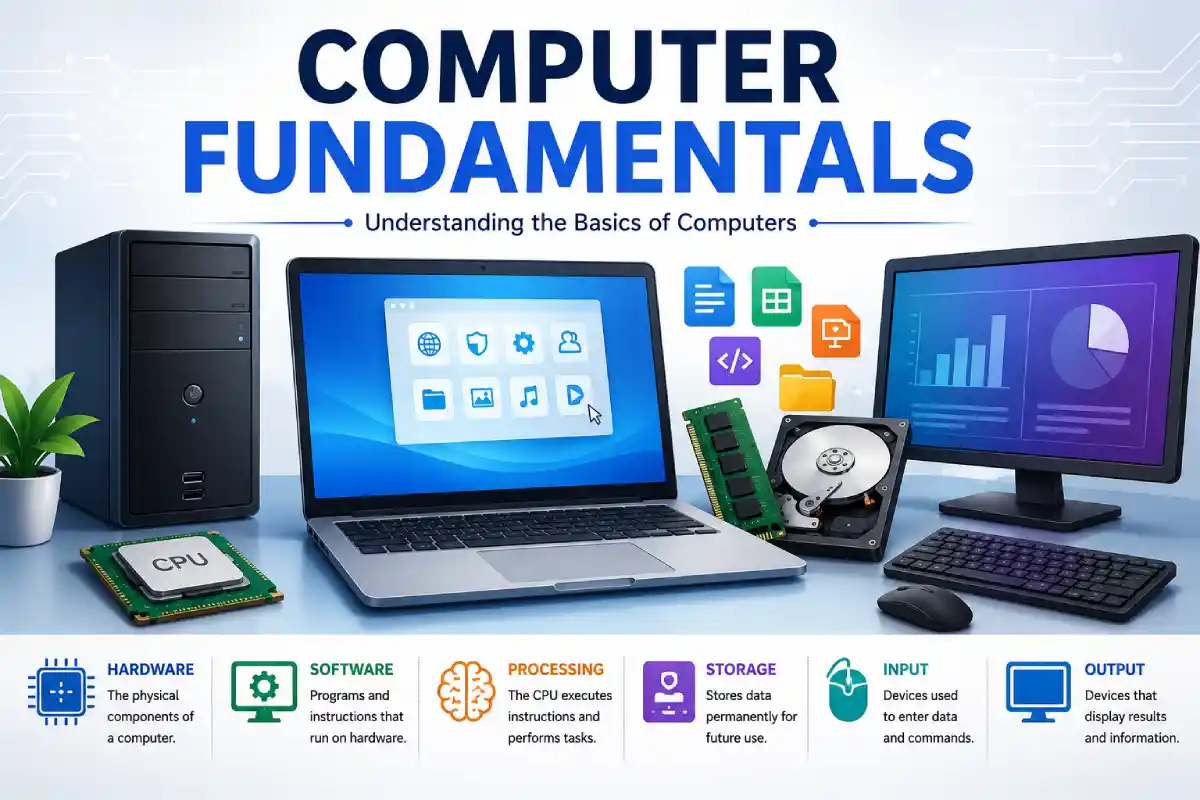
Basically, computer fundamentals involve the important components that make up a computer system: both hardware and software and how the two systems work in coordination to achieve objectives. Studying the basics will enhance productivity, and will get you ready for learning more complicated concepts.
In this complete guide, computer fundamentals are enclosed using simple terms, real examples and comparison tables and in the real-world scenarios applicable in 2026.
Table of Contents
Why Learning Computer Fundamentals Matters in 2026
Almost every sector has become computer-reliant. This is evident in various industries such as finance, healthcare, education, entertainment, etc. Proficiency in digital skills is quickly being considered as a basic requirement.
Benefits include:
- Better understanding of technology.
- Improved troubleshooting abilities.
- Increased employability.
- Strong foundation for IT careers.
- Easier adaptation to emerging technologies.
What Is Hardware?
Hardware: these are the visible and tangible parts of a computer.
Examples include:
- Monitor
- Keyboard
- Mouse
- CPU
- Motherboard
- RAM
- Hard Drive
- SSD
- Printer
Without hardware, software cannot function.
Real-Life Example
When you type a document:
- The keyboard sends input.
- The processor executes commands.
- The monitor displays the output.
- Storage devices save the file.
Types of Computer Hardware
1. Input Devices
Used to enter data into a computer.
Examples:
- Keyboard
- Mouse
- Scanner
- Webcam
- Microphone
2. Output Devices
Display processed information.
Examples:
- Monitor
- Printer
- Speakers
- Projector
3. Processing Devices
Responsible for executing instructions.
Examples:
- CPU
- GPU
4. Storage Devices
Store data permanently or temporarily.
Examples:
- SSD
- HDD
- USB Drives
- Memory Cards
5. Communication Devices
Enable connectivity.
Examples:
- Wi-Fi Adapter
- Network Card
- Bluetooth Adapter
What Is Software?
Software: These are sets of instructions that allow the hardware of a computer to do things.
Examples include:
- Operating systems
- Browsers
- Office applications
- Antivirus programs
Software acts as the bridge between users and hardware.
Types of Software
System Software
Manages hardware and provides a platform for applications.
Examples:
- Windows
- macOS
- Linux
Functions:
- Resource management
- Device control
- Security management
Application Software
Designed to perform user-specific tasks.
Examples:
- Word processors
- Web browsers
- Video conferencing applications
- Photo editing tools
Functions:
- Productivity
- Communication
- Entertainment
- Creativity
Hardware vs Software Comparison
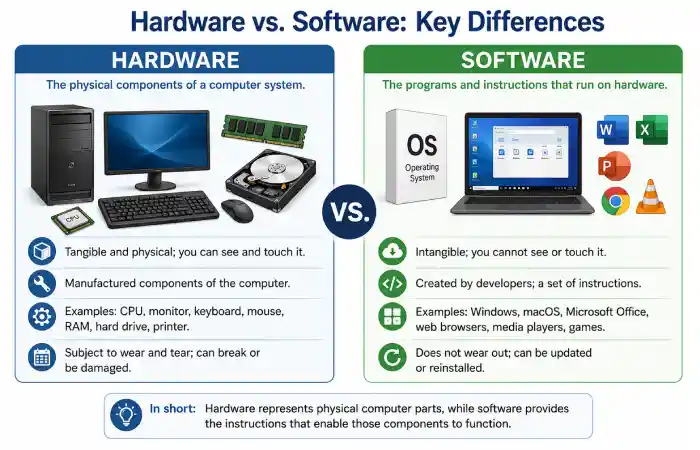
| Feature | Hardware | Software |
| Definition | Physical components | Programs and instructions |
| Tangibility | Can be touched | Cannot be touched |
| Examples | CPU, Monitor, Keyboard | Operating Systems, Browsers |
| Damage Type | Physical wear | Bugs or corruption |
| Replacement | Requires new parts | Reinstallation/update |
| Dependency | Needs software to function | Needs hardware to operate |
Components of a Computer System
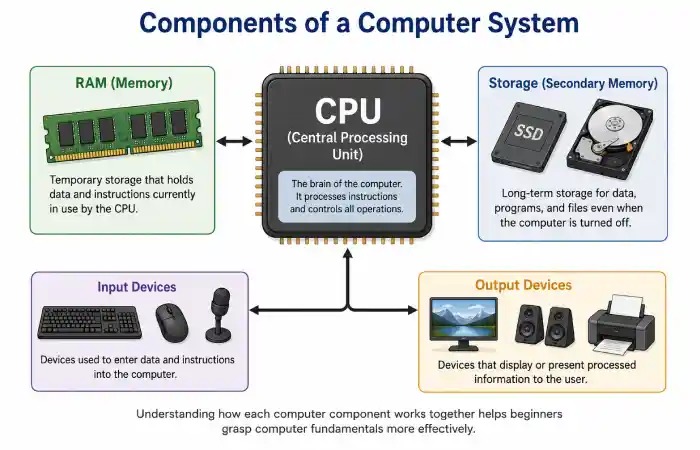
A complete computer system consists of several interconnected components.
| Component | Function |
| CPU | Processes instructions |
| Motherboard | Connects all hardware |
| RAM | Temporary memory |
| Storage | Saves data permanently |
| Input Devices | Accept user commands |
| Output Devices | Display results |
| Software | Enables operations |
| Network Components | Facilitate communication |
Computer Components Comparison (2026)
| Component | Primary Role | Speed Impact | Upgrade Potential |
| CPU | Processing | Very High | Moderate |
| RAM | Multitasking | High | High |
| SSD | Storage | High | High |
| GPU | Graphics Processing | Moderate | Moderate |
| Motherboard | Connectivity | Indirect | Low |
Typical Computer Workflow
- User enters data.
- Input devices transmit information.
- CPU processes instructions.
- RAM stores temporary data.
- Storage preserves information.
- Output devices present results.
Understanding this cycle simplifies troubleshooting and computer usage.
Troubleshooting Common Computer Issues
Computer Running Slowly
Possible causes:
- Insufficient RAM.
- Too many startup programs.
- Limited storage space.
Solutions:
- Remove unnecessary applications.
- Upgrade RAM.
- Free storage space.
Computer Not Turning On
Possible causes:
- Power supply issues.
- Loose cables.
- Hardware failure.
Solutions:
- Check connections.
- Test power outlets.
- Seek professional assistance.
Applications Freezing
Possible causes:
- Software conflicts.
- Outdated programs.
- Resource shortages.
Solutions:
- Restart applications.
- Update software.
- Restart the computer.
Building a Computer Fundamentals Topical Hub
Use internal links to strengthen topical authority.
Recommended cluster articles:
- What Is Hardware?
- What Is Software?
- Types of Computer Hardware
- Types of Software
- Components of a Computer System
This structure helps search engines understand your expertise while guiding readers toward related topics.
E-E-A-T Considerations
To improve trust and authority:
- Include author credentials.
- Cite reputable educational sources and manufacturers.
- Update statistics regularly.
- Use original screenshots and photographs.
- Provide hands-on examples.
- Maintain transparent editorial standards.
FAQ’s
What are computer fundamentals?
Computer fundamentals is defined as the basic understanding of the elements in computer’s working, which include hardware, software, input, output, storage and processor.
Why should beginners learn computer fundamentals?
They foster digital literacy and competency, develop and enhance problem solving ability, and serve as a basic technical framework for higher technical education.
What is the difference between hardware and software?
Hardware consists of physical components, while software comprises programs that instruct hardware to perform tasks.
Which component is considered the brain of the computer?
The CPU is also often called the heart of the computer because it processes the instructions and operates other devices of the computer.
Is learning computer fundamentals useful in 2026?
Yes. As technology adoption increases across industries, understanding computer basics remains an essential skill.
Conclusion
This lesson is designed to ensure that the reader develops confidence in the world of computers today by helping them to grasp the fundamental building blocks that make up a computer system. Topics such as the distinction between hardware and software as well as each of the various component parts that make up a system. As computer systems will be further integrated and more dynamic in 2026, the foundation principles remain the same: input devices are used to take information into a computer, a central processing unit interprets and carries out instructions, the memory is used to store information and software acts to ensure the hardware works efficiently. Mastering these topics helps a user to solve basic problems, understand the advantages and disadvantages of certain hardware choices and build up their knowledge.
